Why scans are so heavy
A scanned page is a photo of the paper, not text. A color scan at 600 DPI holds around 33 million pixels for one A4 page. Reading needs a fraction of that: 200 DPI is sharp on screen and on an office printer, and 300 DPI is enough for nearly every official form.
That gap is why a 10-page scan of 30 MB can often become 2 MB with no visible loss when you read it.
Compress a scan step by step
- 1
Remove pages you do not need
Double-sided scanning leaves blank backs. Remove blank pages finds and deletes them, so you do not compress empty paper.
- 2
Go grayscale if color does not matter
For letters, contracts and forms, Grayscale PDF drops the color data. Keep color for colored stamps or photos that must stay recognisable.
- 3
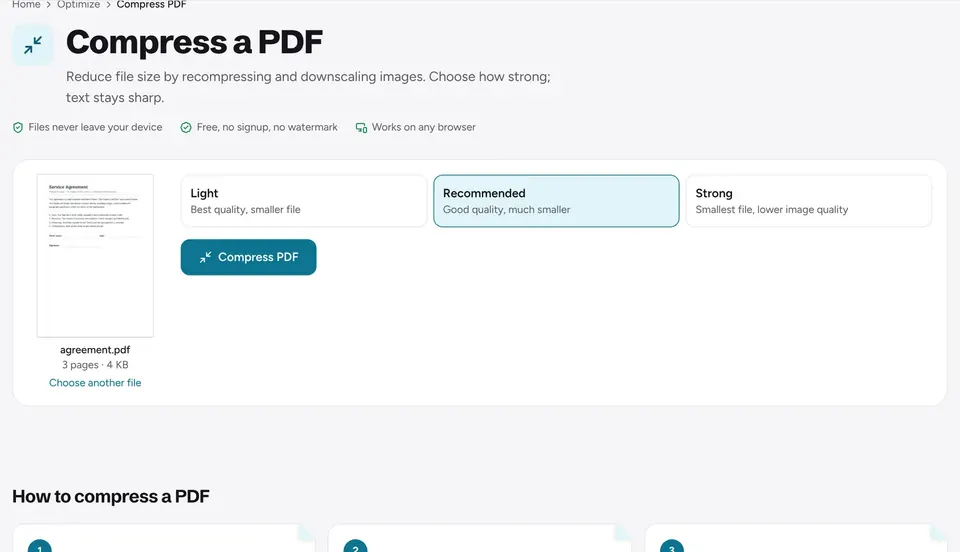
Compress at Recommended
Open Compress PDF, add the file and choose Recommended. Each level shows the size it gives before you pick.
- 4
Or compress to a set size
If a portal asks for, say, 2 MB or 500 KB, choose that size under Or compress to a file size. The tool finds the highest quality that fits.
- 5
Check the smallest print
Download, then zoom to 200 percent on fine print, signatures and stamps. If anything is hard to read, go back one level.
Which level for which scan
- Light: scans you will print or archive, photos, colored diagrams.
- Recommended: letters, contracts, invoices and forms read on screen or printed in the office.
- Strong: strict upload limits. Text stays readable, but check signatures and small print.
Make the scan searchable too
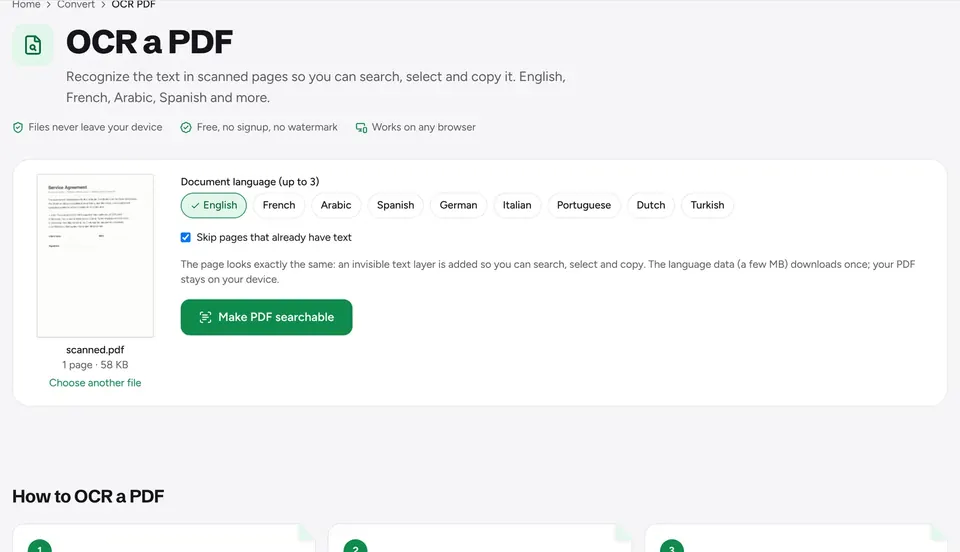
A compressed scan is still a picture of text: you cannot search it or copy from it. OCR PDF adds an invisible text layer so Find, copy and screen readers work, and it barely changes the size. To change the words themselves, see how to edit a scanned PDF.
Scan smaller next time
- Set the scanner or scanning app to 200 or 300 DPI.
- Choose grayscale or "document" mode for text.
- Use the "PDF" output rather than one image per page, or turn images into a PDF with JPG to PDF and set a File size there.
Still too big for an email? See what to do when a PDF is too large to email.
Frequently asked questions
How much can a scanned PDF be compressed?+
Usually by 70 to 95 percent. Color scans at high resolution shrink the most; grayscale scans that were already saved at 200 DPI shrink less.
Will the scanned text become blurry?+
At Light and Recommended, text stays readable at normal zoom. Strong softens fine print a little, so check it before sending.
Should I OCR before or after compressing?+
Compress first, then OCR. The text layer is tiny, and recognition works well on the compressed images.
Is the scan uploaded anywhere?+
No. Everything runs in your browser and the file never leaves your device, which matters for ID copies and signed documents.
Ready to try it?
Open Compress PDF and follow the steps above. Your file stays on your device.
- Files never leave your device
- Free, no signup, no watermark
- Works on any browser